

YouTube Niche Finder
Search any topic and see the YouTube channels building in that space, including small and brand-new channels pulling views far above their subscriber count.
Stop guessing which niche will work
Most creators pick a niche from a hunch, or by copying the five biggest channels everyone already knows. The big channels tell you what worked years ago. They do not tell you whether a newcomer can still break in.
Kavinto's YouTube niche finder starts from evidence instead. Search a topic, from broad ideas like “history” to narrow angles like “engineering megaprojects explained”, and see the channels we track in that space.
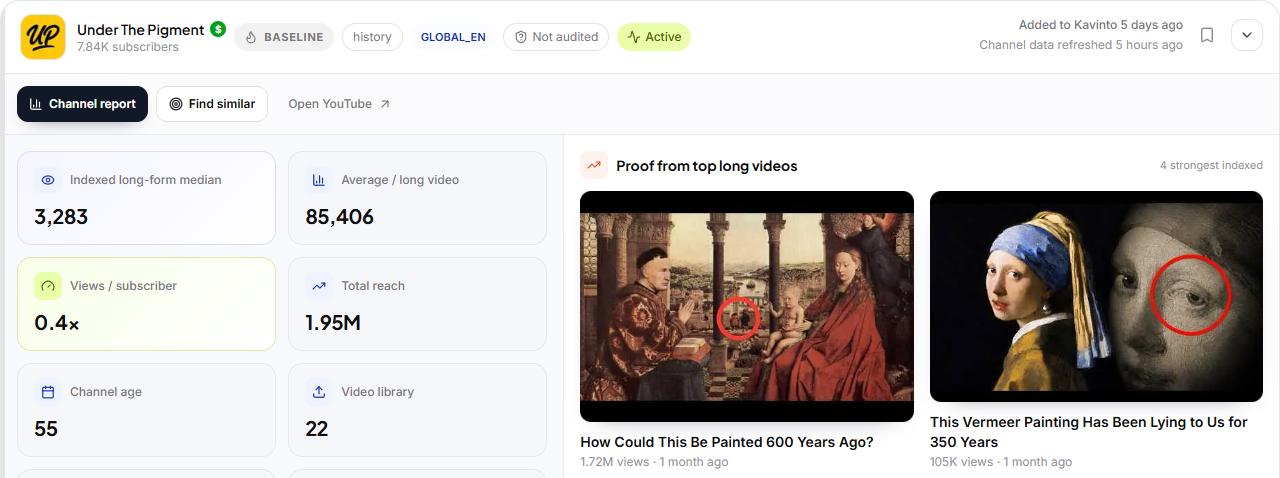
Then look for the signal that matters most: small or recently launched channels whose videos are already pulling big views. If newcomers are winning, the door is still open.
How it works
From a topic idea to a shortlist of channels worth studying.
Search a topic
Type any niche or idea. Kavinto shows the channels creating content around it.
Filter to what you can make
Narrow by channel size, video performance, faceless or on-camera, long-form or Shorts, and language.
Check the evidence
Open a channel report to see median views, upload rhythm, estimated RPM and the videos driving growth.
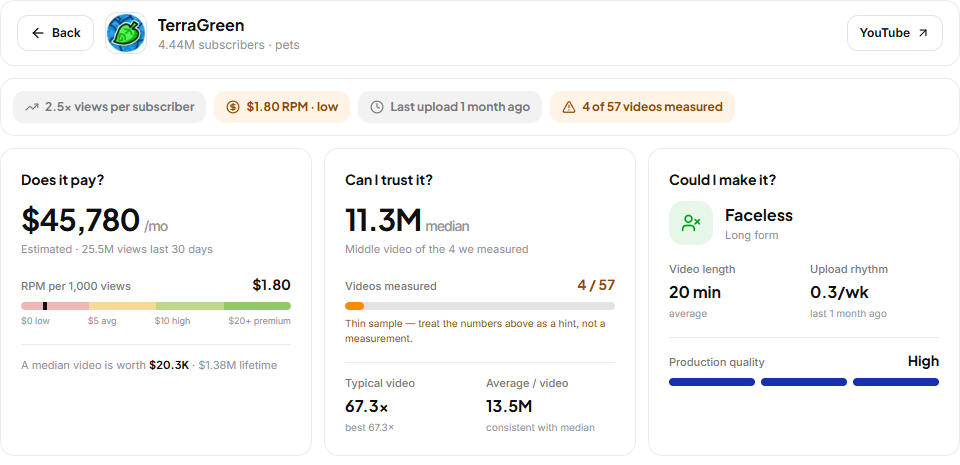
Three questions per channel
- Does it pay? Estimated revenue and RPM band
- Can you trust it? Median views, not viral spikes
- Could you make it? Format, length and rhythm
Questions? Answers.
Is Niche Finder free?
How do I find a YouTube niche?
How is Kavinto different from other niche finders?
Does it work for faceless channels?
Where does the data come from?
Are the revenue numbers real earnings?
Ready to explore your niche?
Search your first topic in under a minute. No credit card required.